Wearable tech meets health data — designing what athletes couldn’t see about their own bodies.

Role
Product Designer
Timeline
3 Weeks
Product
mobile APP
Team
3 designers, 1 CEO
overview
What if your clothing could tell you when you're about to get hurt?
Nextiles had built a smart sleeve that could read biomechanics data in real time. The hardware existed. The data existed. But there was no way for an athlete to see, understand, or act on any of it.
We had three weeks to change that.
My ROLE
0 → 1 in 3 weeks
Led end-to-end product design — from research and user interviews through high-fidelity prototype — in a single sprint.
Designed around real constraints
Worked directly with the CEO to understand hardware sensor capabilities, Bluetooth connectivity, and technical limitations — so the UI reflected what the product could actually do.
Built the visual language from scratch
Created the entire visual identity and UI component system for the iOS app — giving the product a distinct, credible brand presence to match its hardware.
background
What is Nextiles?
Nextiles embeds semiconductive threads directly into fabric — creating textiles that respond to force: bending, stretching, and pressure.

Athletes slip on the smart sleeve, activate the microcontroller, and the sensors immediately begin capturing motion data — transferred via Bluetooth to a phone in real time. The result is personalized, AI-powered biomechanics data that helps athletes improve performance and prevent injuries before they happen.
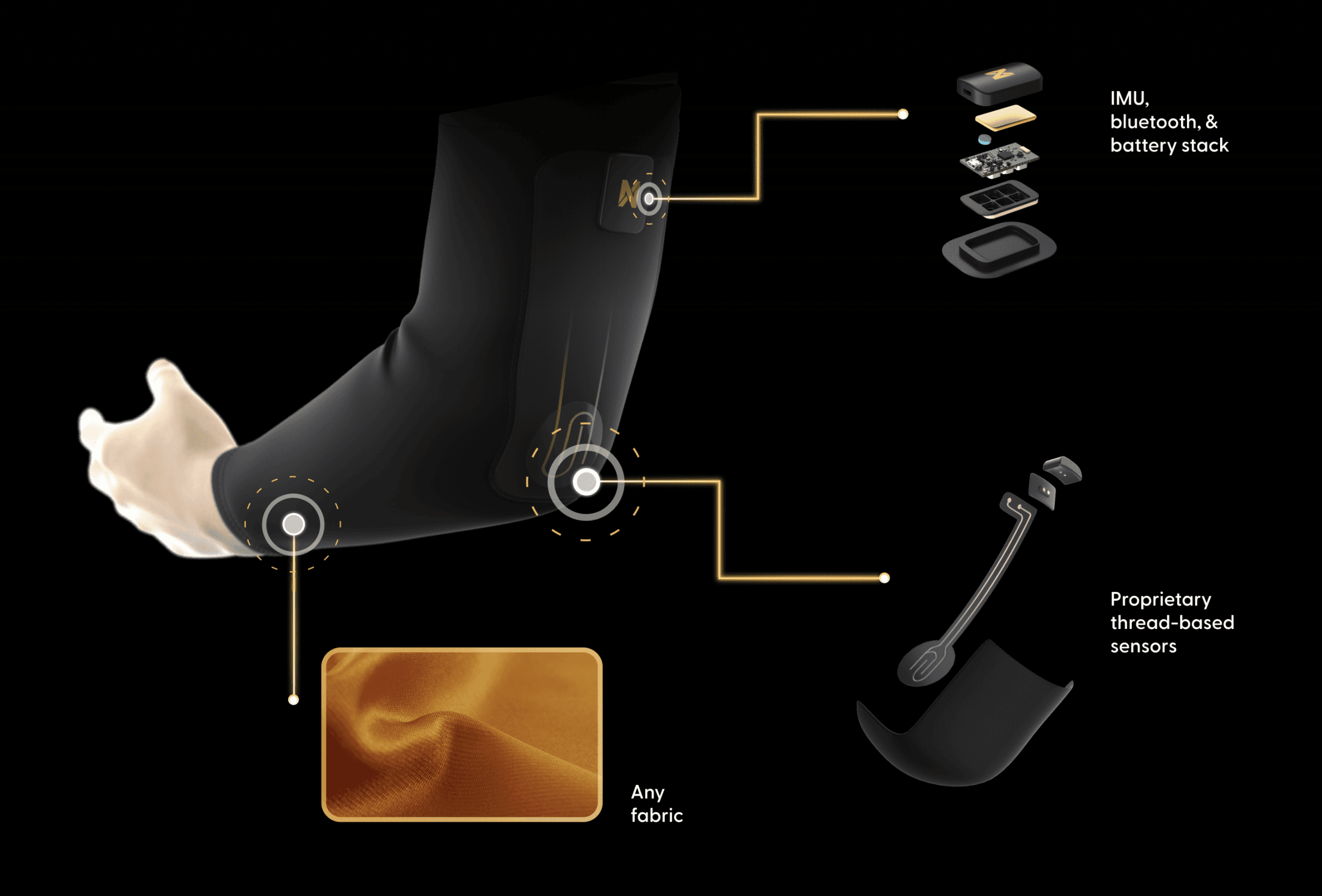
a look at what we built

PROBLEM
Athletes were training blind
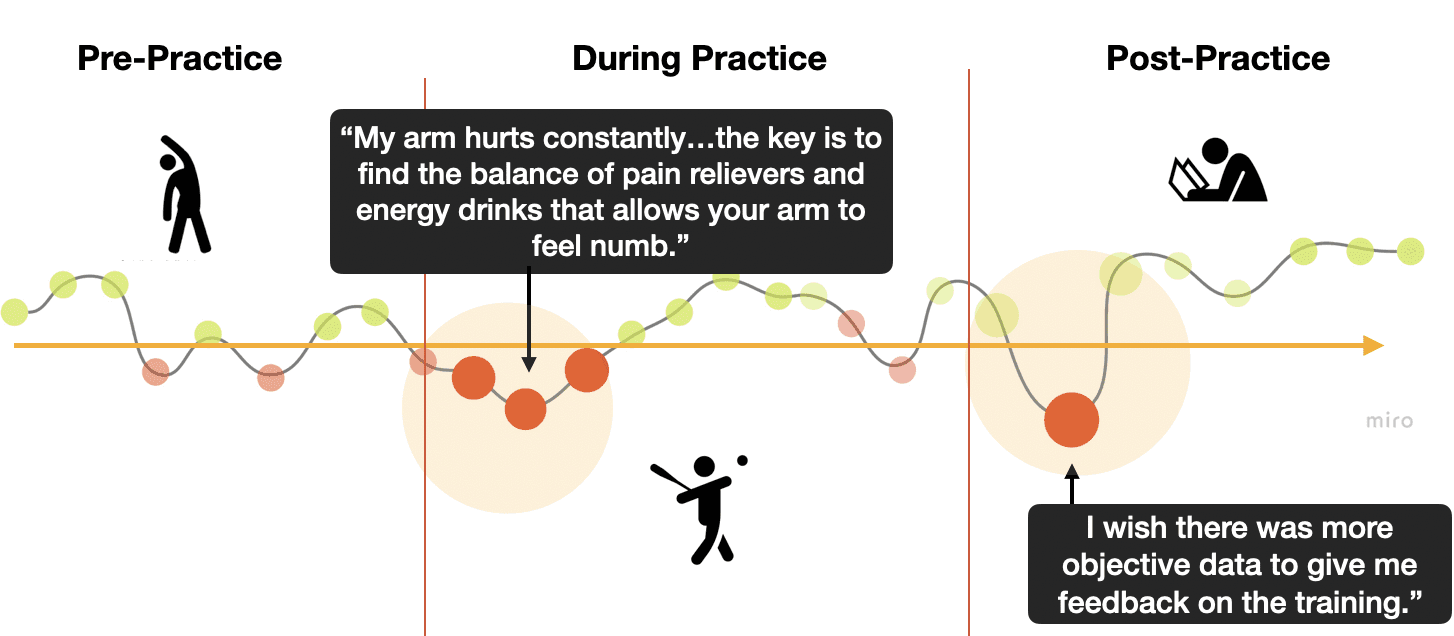
The Nextiles sleeve could capture rich biomechanics data in real time — but none of it was visible or interpretable. Athletes had no way to see what their body was actually doing, track progress over time, or know when they were at risk of injury.
How do we turn complex sensor data into something an athlete can act on in the moment?
Two problems to solve before anything else
What metrics actually matter to athletes and coaches — and how do we prioritize them?
How do we onboard athletes to a hardware-connected app smoothly enough that the technology doesn't get in the way?
research
We couldn't interview pro athletes, so we got creative
The target audience was professional pitchers and quarterbacks — athletes who were very difficult to access. After consulting with our client, we pivoted to interview competitive athletes with similar training mindsets, schedules, and experience with performance metrics.
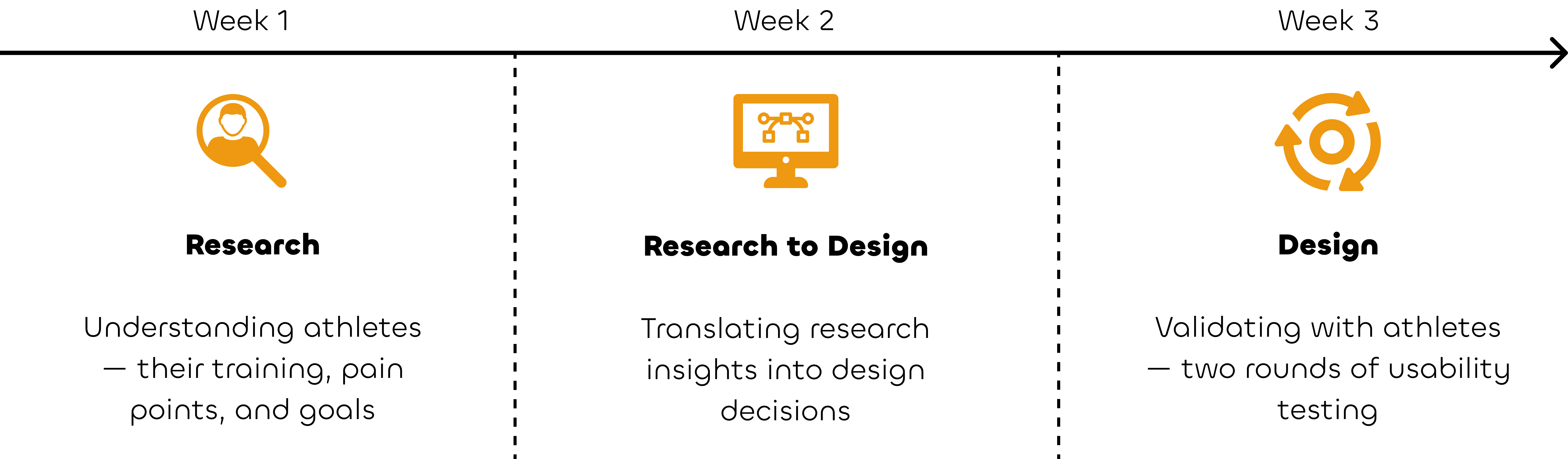
What questions we started with
The client envisioned his product being used by professional baseball and football players. We needed to understand their world — training schedules, coach relationships, how they tracked progress, and how they managed injury and recovery.
What athletes actually told us
01
Athletes live by statistics over time
they constantly compare current performance to past benchmarks
02
Coaches give feelings, not facts
subjective feedback frustrated athletes who wanted measurable data
03
Overexertion is common
athletes push past safe limits without realizing it until injury strikes
04
Trains with multiple coaches
work with multiple coaches simultaneously and value different perspectives
The pain points that shaped everything
COMPETITION
Where every competitor fell short
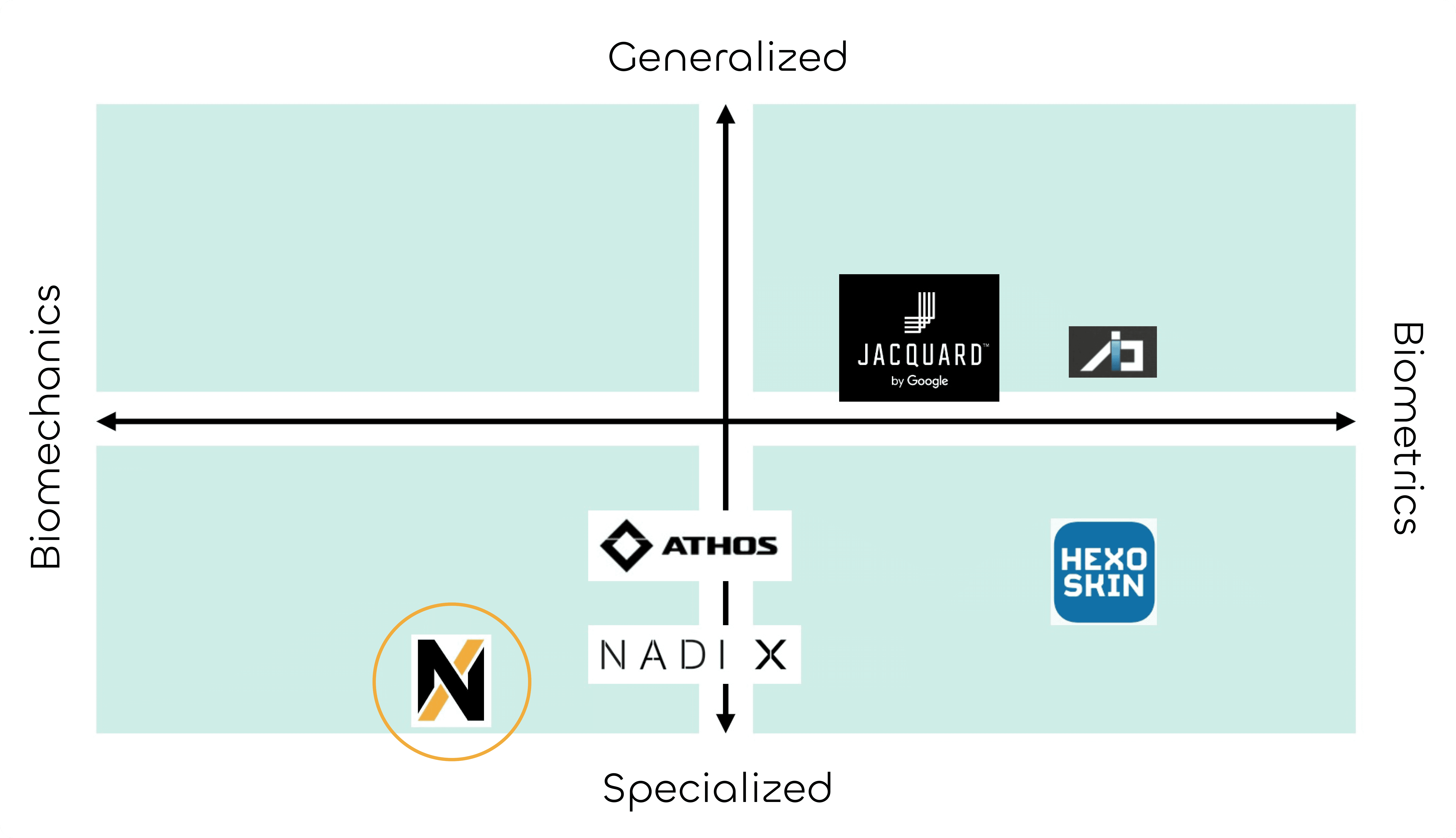
We analyzed five wearable tech companies with companion mobile apps. The competitive matrix revealed a clear gap — nobody was doing both well.
Two things were consistently missing across the market:
Visual rendering of motion — no competitor showed athletes what their body was actually doing
Biomechanics and stress level tracking — the data that matters most for injury prevention simply wasn't there
That gap became our opportunity.
core features
From insight to feature — every decision earned its place
We ran a design studio with the CEO, George Sun — sketching ideas rapidly on paper to build off each other's thinking before committing anything to screen.
Every core feature traces directly back to something athletes told us:
SOLUTION
The Nextiles App
Every screen designed around one question: what does an athlete actually need to know right now?

01
Your data, made readable
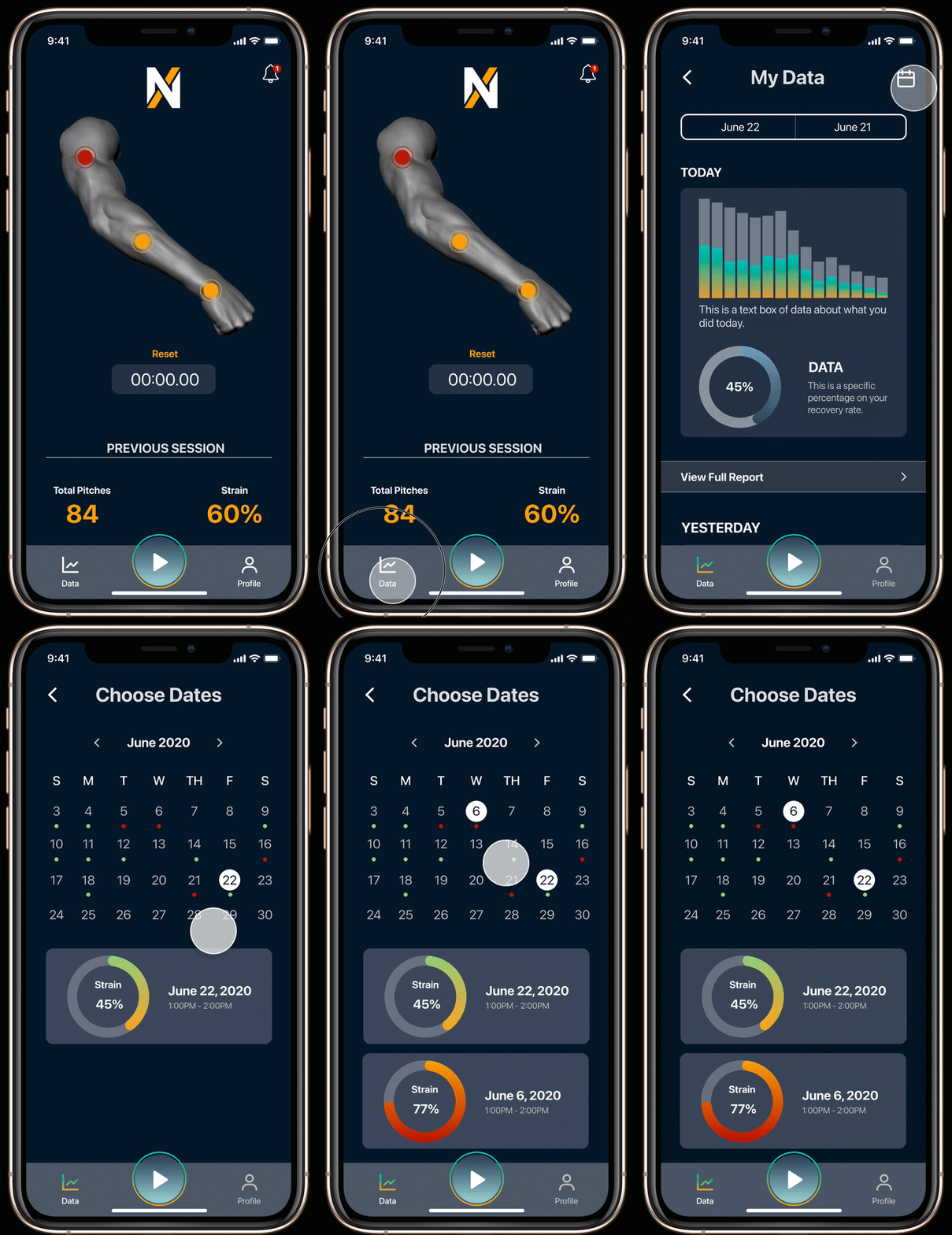
The dashboard surfaces biomechanics metrics in real time — with plain-language analysis beneath each graph so athletes understand not just what the numbers are, but what they mean.
02
Practice makes comparison possible
Athletes don't improve in isolation — they improve relative to their past selves. The calendar lets athletes select any two sessions and compare their metrics side by side.

03
Keep your coaches in the loop
Athletes often train with multiple coaches simultaneously. With one tap, they can share a daily performance summary with whoever needs to see it.
04
Know before it becomes an injury
The interactive arm rendering shows real-time stress levels by muscle group. When strain reaches a critical threshold — like 60% on the tricep — the app alerts the athlete before overexertion becomes damage.

user feedback
Testing revealed three things we got wrong
We ran usability testing with 10 athletes on our mid-fidelity prototype. The feedback was clear and consistent across all three pain points.
01
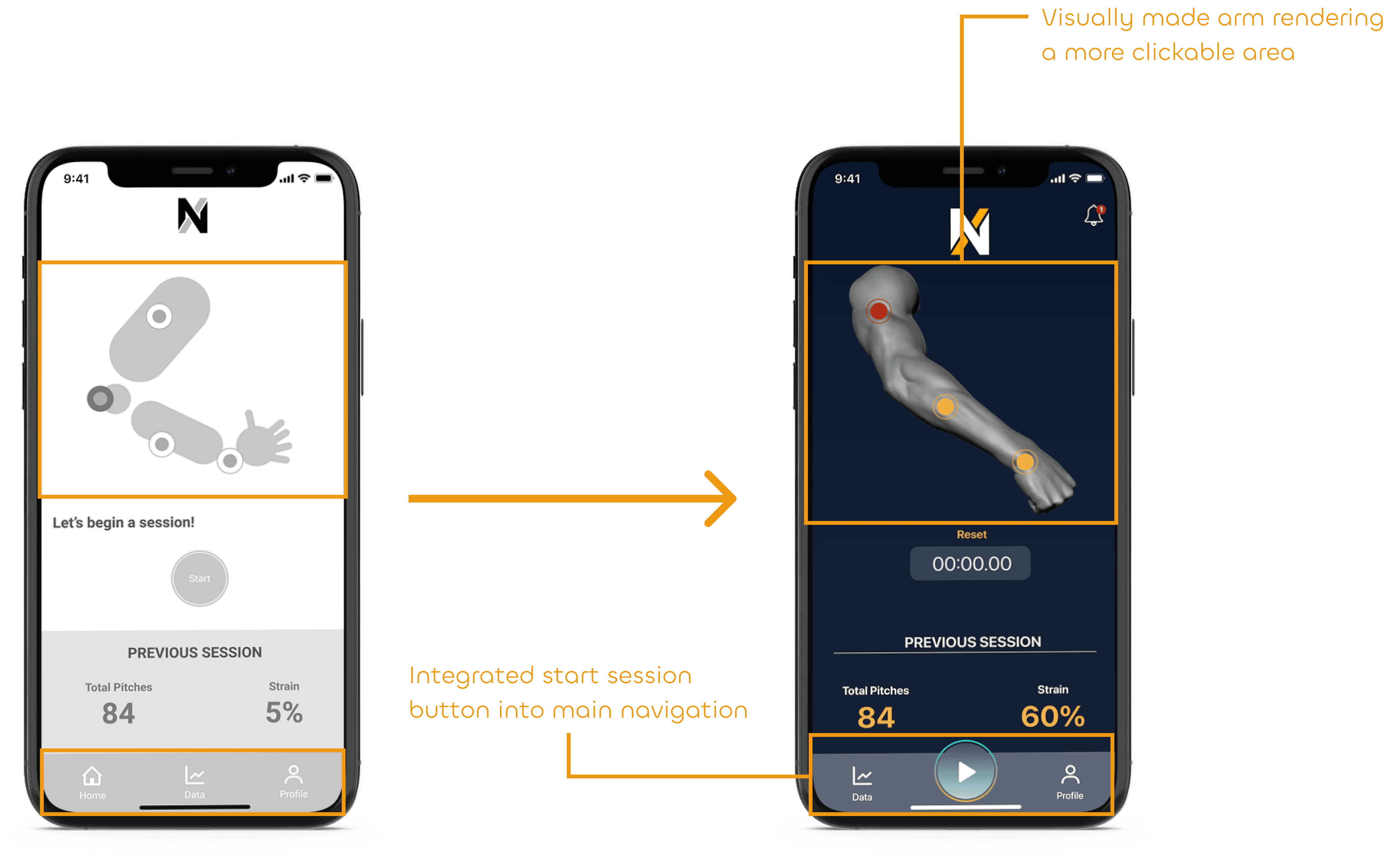
The arm rendering didn't feel interactive
Athletes weren't clicking into the arm to view stress data — because nothing about the mid-fi design signaled that they could. They also wanted the start session button accessible from anywhere, not just the home page.
What we changed: Added 3-dimensionality and colored touch points to signal interactivity. Integrated the start session button into the main navigation.
02
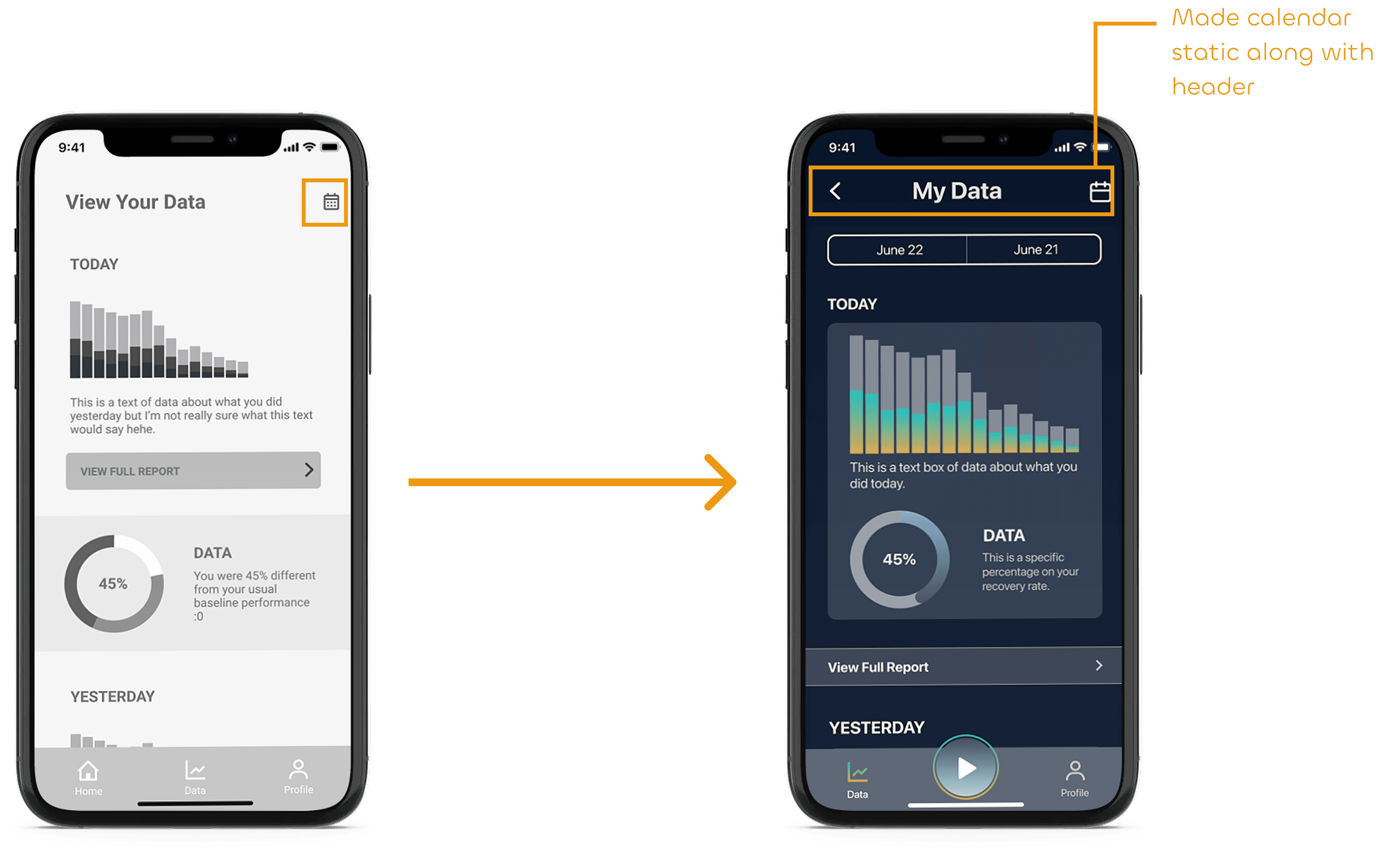
The calendar was invisible
Athletes scrolled past the calendar icon without noticing it. A feature central to comparing sessions across dates was being completely missed.
What we changed: Made the calendar icon static and persistent on the My Data screen so it couldn't be missed.
03
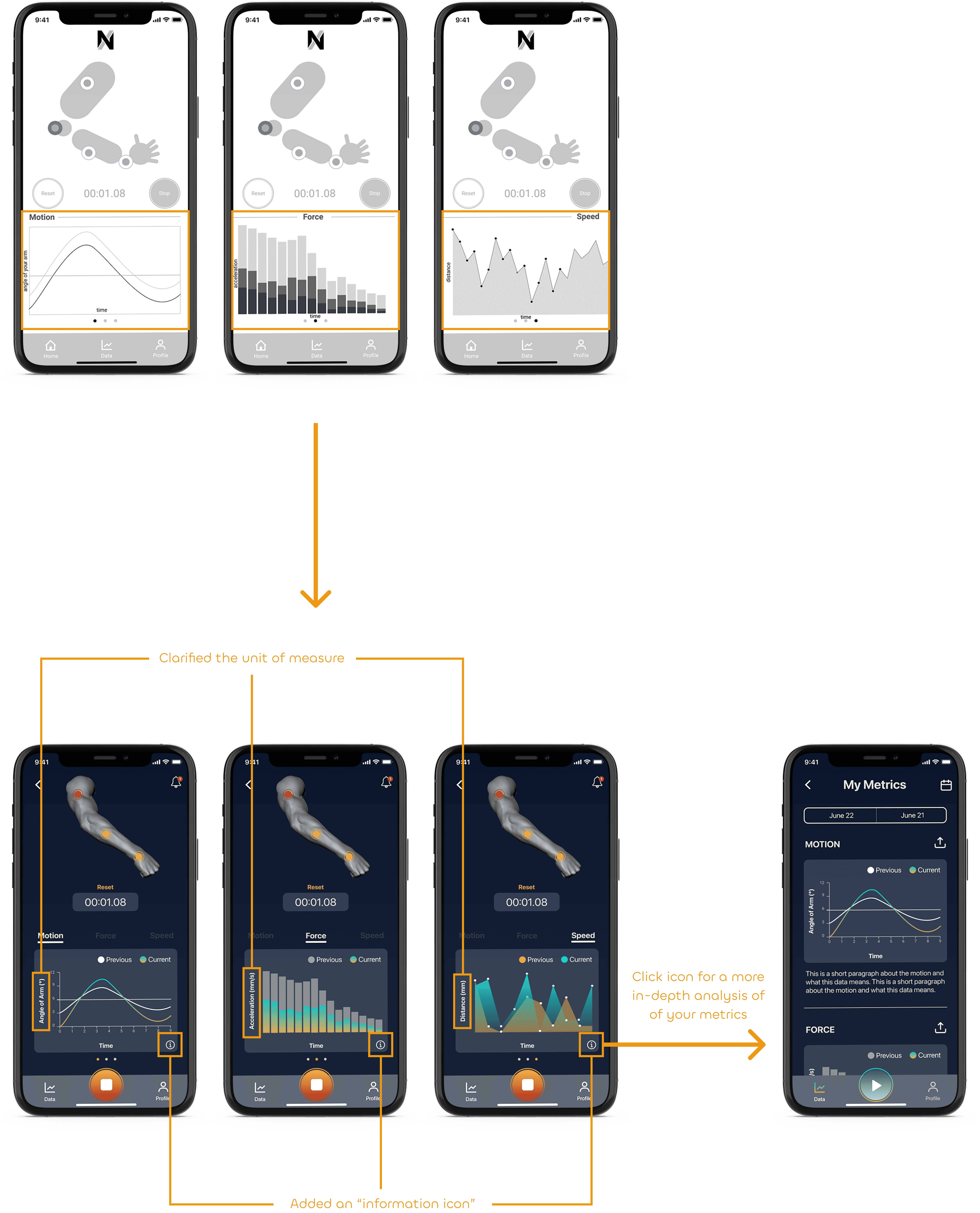
The graphs needed context
Athletes could see data but couldn't interpret it. Numbers without units or explanation aren't actionable — and actionable data was the whole point of the product.
What we changed: Added units of measure to every graph and an information icon beneath each one for athletes who wanted to go deeper.
IMPACT
The iteration worked
After a first round that revealed three clear problems, we fixed them — and tested again with 10 athletes to validate.
97% task success rate — up from 60% in round one 16 seconds faster on task — athletes found and interpreted their data significantly quicker
Athletes navigated core tasks — real-time data, session comparison, coach sharing — with minimal friction. The arm rendering felt interactive. The calendar was discoverable. The graphs made sense mid-practice.
Client outcome: George, the CEO, received the designs enthusiastically — and immediately began talking about expanding beyond athletics into rehabilitation, wellness, and automotive industries requiring biometric monitoring.
task success rate
97%
time on task
16 secs faster
reflection
What I'd do differently — and what I'd keep
This project taught me that designing for hardware is fundamentally different from designing for software alone. The physical product shapes every digital decision — and if you don't understand what the sensor can actually do, you're designing fiction.
What I learned Designing for complex data systems requires more than good visualization instincts. It requires deep collaboration with the people building the hardware — understanding sensor accuracy, data latency, and connectivity constraints before a single screen is drawn.
What I'd do differently — Embed with the hardware engineer from day one to understand real sensor capabilities and limitations — Prototype with actual sensor data early — not mock data — so visualization decisions reflect what the product can genuinely deliver — Interview coaches, not just athletes — they're half the product's audience — Design with battery life in mind — real-time data display has power implications that affect UX decisions — Test edge cases — what happens when the sleeve disconnects? Low battery? Sensor malfunction? — Build in timelines that account for hardware development cycles, which are fundamentally slower than software
What I'd keep The design studio with George. Sketching together before touching Figma forced alignment on the right problems before we started solving them. That instinct — align first, design second — is one I carry into every project now.